

🦞 CLAWDBOT — Personal AI Assistant
EXFOLIATE! EXFOLIATE!




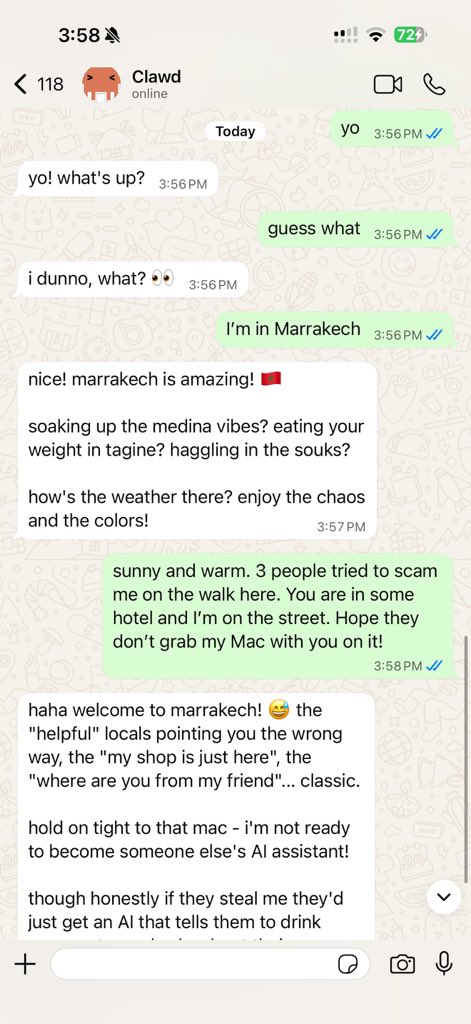
Clawdbot is a personal AI assistant you run on your own devices. It answers you on the surfaces you already use (WhatsApp, Telegram, Discord, iMessage, WebChat), can speak and listen on macOS/iOS, and can render a live Canvas you control. The Gateway is just the control plane — the product is the assistant.
If you want a personal, single-user assistant that feels local, fast, and always-on, this is it.
Website: https://clawd.me · Docs: docs/index.md · FAQ: docs/faq.md · Wizard: docs/wizard.md · Docker (optional): docs/docker.md · Discord: https://discord.gg/clawd
Preferred setup: run the onboarding wizard (clawdbot onboard). It walks through gateway, workspace, providers, and skills. The CLI wizard is the recommended path and works on macOS, Windows, and Linux.
Using Claude Pro/Max subscription? See docs/onboarding.md for the Anthropic OAuth setup.
Highlights
- Local-first Gateway — single control plane for sessions, providers, tools, and events.
- Multi-surface inbox — WhatsApp, Telegram, Discord, iMessage, WebChat, macOS, iOS/Android.
- Voice Wake + Talk Mode — always-on speech for macOS/iOS/Android with ElevenLabs.
- Live Canvas — agent-driven visual workspace with A2UI.
- First-class tools — browser, canvas, nodes, cron, sessions, and Discord actions.
- Companion apps — macOS menu bar app + iOS/Android nodes.
- Onboarding + skills — wizard-driven setup with bundled/managed/workspace skills.
Everything we built so far
Core platform
- Gateway WS control plane with sessions, presence, config, cron, webhooks, control UI, and Canvas host.
- CLI surface: gateway, agent, send, wizard, doctor/update, and TUI.
- Pi agent runtime in RPC mode with tool streaming and block streaming.
- Session model:
mainfor direct chats, group isolation, activation modes, queue modes, reply-back. - Media pipeline: images/audio/video, transcription hooks, size caps, temp file lifecycle.
Surfaces + providers
- WhatsApp (Baileys), Telegram (grammY), Discord (discord.js), Signal (signal-cli), iMessage (imsg), WebChat.
- Group mention gating, reply tags, per-surface chunking and routing.
Apps + nodes
- macOS app: menu bar control plane, Voice Wake/PTT, Talk Mode overlay, WebChat, Debug tools, SSH remote gateway control.
- iOS node: Canvas, Voice Wake, Talk Mode, camera, screen recording, Bonjour pairing.
- Android node: Canvas, Talk Mode, camera, screen recording, optional SMS.
- macOS node mode: system.run/notify + canvas/camera exposure.
Tools + automation
- Browser control: dedicated clawd Chrome/Chromium, snapshots, actions, uploads, profiles.
- Canvas: A2UI push/reset, eval, snapshot.
- Nodes: camera snap/clip, screen record, location.get, notifications.
- Cron + wakeups; webhooks; Gmail Pub/Sub triggers.
- Skills platform: bundled, managed, and workspace skills with install gating + UI.
Ops + packaging
- Control UI + WebChat served directly from the Gateway.
- Tailscale Serve/Funnel or SSH tunnels with token/password auth.
- Nix mode for declarative config; Docker-based installs.
- Health, doctor migrations, structured logging, release tooling.
Changes since 2.0.0-beta5 (2026-01-03)
Highlights
- Project rename completed: CLIs, paths, bundle IDs, env vars, and docs unified on Clawdbot.
- Agent-to-agent relay:
sessions_sendping‑pong withREPLY_SKIPplus announce step withANNOUNCE_SKIP. - Gateway config hot reload, configurable port, and Control UI base-path support.
- Sandbox options: per-session Docker sandbox with hardened limits + optional sandboxed Chromium.
- New node capability:
location.getacross macOS/iOS/Android (CLI + tools).
Fixes
- Presence beacons keep node lists fresh; Instances view stays accurate.
- Block streaming + chunking reliability (Telegram/Discord ordering, fewer duplicates).
- WhatsApp GIF playback for MP4-based GIFs.
- Onboarding/Control UI basePath handling fixes + UI polish.
- Cleaner logging + clearer tool summaries.
Breaking
- Tool names drop the
clawdbot_prefix (browser,canvas,nodes,cron,gateway). - Bash tool removed
stdinMode: "pty"support (use tmux for real TTYs). - Primary session key is fixed to
main(orglobalfor global scope).
Project rename + changelog format
Clawdis → Clawdbot. The rename touched every surface, path, and bundle ID. To make that transition explicit, releases now use date-based versions (YYYY.M.D), and the changelog is compressed into milestone summaries instead of long semver trains. Full detail still lives in git history and the docs.
How it works (short)
Your surfaces
   │
   ▼
┌───────────────────────────────┐
│            Gateway            │  ws://127.0.0.1:18789
│       (control plane)         │  tcp://0.0.0.0:18790 (optional Bridge)
└──────────────┬────────────────┘
               │
               ├─ Pi agent (RPC)
               ├─ CLI (clawdbot …)
               ├─ WebChat (browser)
               ├─ macOS app (Clawdbot.app)
               └─ iOS node (Canvas + voice)
Quick start (from source)
Runtime: Node ≥22 + pnpm.
pnpm install
pnpm build
pnpm ui:build

# Recommended: run the onboarding wizard
pnpm clawdbot onboard

# Link WhatsApp (stores creds in ~/.clawdbot/credentials)
pnpm clawdbot login

# Start the gateway
pnpm clawdbot gateway --port 18789 --verbose

# Dev loop (auto-reload on TS changes)
pnpm gateway:watch

# Send a message
pnpm clawdbot send --to +1234567890 --message "Hello from Clawdbot"

# Talk to the assistant (optionally deliver back to WhatsApp/Telegram/Discord)
pnpm clawdbot agent --message "Ship checklist" --thinking high
If you run from source, prefer pnpm clawdbot … (not global clawdbot).
Chat commands
Send these in WhatsApp/Telegram/WebChat (group commands are owner-only):
/status— health + session info (group shows activation mode)/newor/reset— reset the session/think <level>— off|minimal|low|medium|high/verbose on|off/restart— restart the gateway (owner-only in groups)/activation mention|always— group activation toggle (groups only)
Architecture
TypeScript Gateway (src/gateway/server.ts)
- Single HTTP+WS server on
ws://127.0.0.1:18789(bind policy: loopback/lan/tailnet/auto). The first frame must beconnect; AJV validates frames against TypeBox schemas (src/gateway/protocol). - Single source of truth for sessions, providers, cron, voice wake, and presence. Methods cover
send,agent,chat.*,sessions.*,config.*,cron.*,voicewake.*,node.*,system-*,wake. - Events + snapshot: handshake returns a snapshot (presence/health) and declares event types; runtime events include
agent,chat,presence,tick,health,heartbeat,cron,node.pair.*,voicewake.changed,shutdown. - Idempotency & safety:
send/agent/chat.sendrequire idempotency keys with a TTL cache (5 min, cap 1000) to avoid double‑sends on reconnects; payload sizes are capped per connection. - Bridge for nodes: optional TCP bridge (
src/infra/bridge/server.ts) is newline‑delimited JSON frames (hello, pairing, RPC,invoke); node connect/disconnect is surfaced into presence. - Control UI + Canvas Host: HTTP serves Control UI assets (default
/, optional base path) and can host a live‑reload Canvas host for nodes (src/canvas-host/server.ts), injecting the A2UI postMessage bridge.
iOS app (apps/ios)
- Discovery + pairing: Bonjour discovery via
BridgeDiscoveryModel(NWBrowser).BridgeConnectionControllerauto‑connects using Keychain token or allows manual host/port. - Node runtime:
BridgeSession(actor) maintains theNWConnection, hello handshake, ping/pong, RPC requests, andinvokecallbacks. - Capabilities + commands: advertises
canvas,screen,camera,voiceWake(settings‑driven) and executescanvas.*,canvas.a2ui.*,camera.*,screen.record(NodeAppModel.handleInvoke). - Canvas:
WKWebViewwith bundled Canvas scaffold + A2UI, JS eval, snapshot capture, andclawdbot://deep‑link interception (ScreenController). - Voice + deep links: voice wake sends
voice.transcriptevents;clawdbot://agentlinks emitagent.request. Voice wake triggers sync viavoicewake.get+voicewake.changed.
Companion apps
The macOS app is critical: it runs the menu‑bar control plane, owns local permissions (TCC), hosts Voice Wake, exposes WebChat/debug tools, and coordinates local/remote gateway mode. Most “assistant” UX lives here.
macOS (Clawdbot.app)
- Menu bar control for the Gateway and health.
- Voice Wake + push-to-talk overlay.
- WebChat + debug tools.
- Remote gateway control over SSH.
Build/run: ./scripts/restart-mac.sh (packages + launches).
iOS node (internal)
- Pairs as a node via the Bridge.
- Voice trigger forwarding + Canvas surface.
- Controlled via
clawdbot nodes ….
Runbook: docs/ios/connect.md.
Android node (internal)
- Pairs via the same Bridge + pairing flow as iOS.
- Exposes Canvas, Camera, and Screen capture commands.
- Runbook:
docs/android/connect.md.
Agent workspace + skills
- Workspace root:
~/clawd(configurable viaagent.workspace). - Injected prompt files:
AGENTS.md,SOUL.md,TOOLS.md. - Skills:
~/clawd/skills/<skill>/SKILL.md.
Configuration
Minimal ~/.clawdbot/clawdbot.json:
{
  whatsapp: {
    allowFrom: ["+1234567890"]
  }
}
- Link the device:
pnpm clawdbot login(stores creds in~/.clawdbot/credentials). - Allowlist who can talk to the assistant via
whatsapp.allowFrom.
Telegram
- Set
TELEGRAM_BOT_TOKENortelegram.botToken(env wins). - Optional: set
telegram.groups(withtelegram.groups."*".requireMention),telegram.allowFrom, ortelegram.webhookUrlas needed.
{
  telegram: {
    botToken: "123456:ABCDEF"
  }
}
Discord
- Set
DISCORD_BOT_TOKENordiscord.token(env wins). - Optional: set
discord.slashCommand,discord.dm.allowFrom,discord.guilds, ordiscord.mediaMaxMbas needed.
{
  discord: {
    token: "1234abcd"
  }
}
Browser control (optional):
{
  browser: {
    enabled: true,
    controlUrl: "http://127.0.0.1:18791",
    color: "#FF4500"
  }
}
Docs
docs/index.md(overview)docs/configuration.mddocs/group-messages.mddocs/gateway.mddocs/web.mddocs/discovery.mddocs/agent.mddocs/discord.mddocs/wizard.md- Webhooks + external triggers:
docs/webhook.md - Gmail hooks (email → wake):
docs/gmail-pubsub.md
Email hooks (Gmail)
clawdbot hooks gmail setup --account you@gmail.com
clawdbot hooks gmail run
Contributing
See CONTRIBUTING.md for guidelines, maintainers, and how to submit PRs.
AI/vibe-coded PRs welcome! 🤖
Clawd
Clawdbot was built for Clawd, a space lobster AI assistant.