

🦞 CLAWDBOT — Personal AI Assistant
EXFOLIATE! EXFOLIATE!




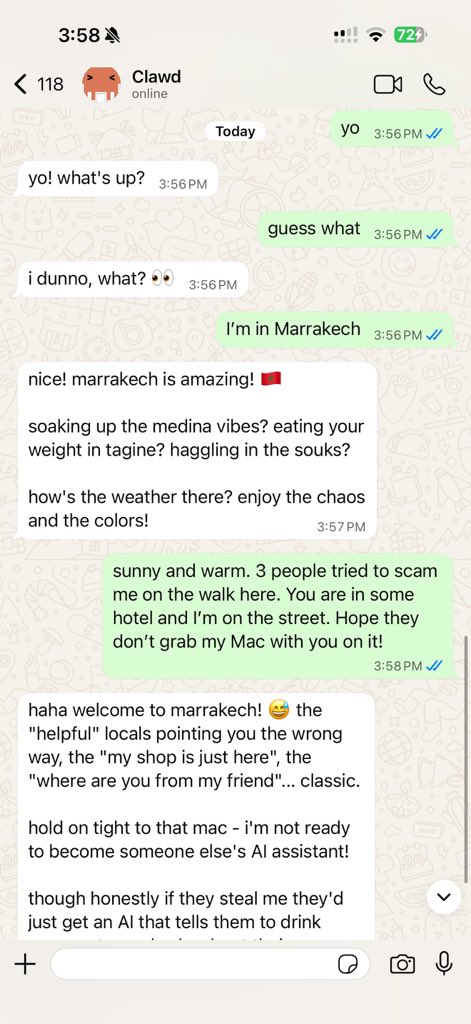
Clawdbot is a personal AI assistant you run on your own devices. It answers you on the surfaces you already use (WhatsApp, Telegram, Slack, Discord, iMessage, WebChat), can speak and listen on macOS/iOS, and can render a live Canvas you control. The Gateway is just the control plane — the product is the assistant.
If you want a personal, single-user assistant that feels local, fast, and always-on, this is it.
Website: clawdbot.com · Docs: docs.clawdbot.com · FAQ: FAQ · Wizard: Wizard · Nix: nix-clawdbot · Docker: Docker · Discord: discord.gg/clawd
Preferred setup: run the onboarding wizard (clawdbot onboard). It walks through gateway, workspace, providers, and skills. The CLI wizard is the recommended path and works on macOS, Windows, and Linux.
Subscriptions: Anthropic (Claude Pro/Max) and OpenAI (ChatGPT/Codex) are supported via OAuth. See Onboarding.
Recommended setup (from source)
Do not download prebuilt binaries. Build from source.
# Clone this repo
git clone https://github.com/clawdbot/clawdbot.git
cd clawdbot

pnpm install
pnpm build
pnpm ui:build
pnpm clawdbot onboard
Quick start (from source)
Runtime: Node ≥22 + pnpm.
pnpm install
pnpm build
pnpm ui:build

# Recommended: run the onboarding wizard
pnpm clawdbot onboard

# Link WhatsApp (stores creds in ~/.clawdbot/credentials)
pnpm clawdbot login

# Start the gateway
pnpm clawdbot gateway --port 18789 --verbose

# Dev loop (auto-reload on TS changes)
pnpm gateway:watch

# Send a message
pnpm clawdbot send --to +1234567890 --message "Hello from Clawdbot"

# Talk to the assistant (optionally deliver back to WhatsApp/Telegram/Slack/Discord)
pnpm clawdbot agent --message "Ship checklist" --thinking high
If you run from source, prefer pnpm clawdbot … (not global clawdbot).
Highlights
- Local-first Gateway — single control plane for sessions, providers, tools, and events.
- Multi-surface inbox — WhatsApp, Telegram, Slack, Discord, iMessage, WebChat, macOS, iOS/Android.
- Voice Wake + Talk Mode — always-on speech for macOS/iOS/Android with ElevenLabs.
- Live Canvas — agent-driven visual workspace with A2UI.
- First-class tools — browser, canvas, nodes, cron, sessions, and Discord/Slack actions.
- Companion apps — macOS menu bar app + iOS/Android nodes.
- Onboarding + skills — wizard-driven setup with bundled/managed/workspace skills.
Everything we built so far
Core platform
- Gateway WS control plane with sessions, presence, config, cron, webhooks, control UI, and Canvas host.
- CLI surface: gateway, agent, send, wizard, doctor/update, and TUI.
- Pi agent runtime in RPC mode with tool streaming and block streaming.
- Session model:
mainfor direct chats, group isolation, activation modes, queue modes, reply-back. - Media pipeline: images/audio/video, transcription hooks, size caps, temp file lifecycle.
Surfaces + providers
- WhatsApp (Baileys), Telegram (grammY), Slack (Bolt), Discord (discord.js), Signal (signal-cli), iMessage (imsg), WebChat.
- Group mention gating, reply tags, per-surface chunking and routing.
Apps + nodes
- macOS app: menu bar control plane, Voice Wake/PTT, Talk Mode overlay, WebChat, Debug tools, SSH remote gateway control.
- iOS node: Canvas, Voice Wake, Talk Mode, camera, screen recording, Bonjour pairing.
- Android node: Canvas, Talk Mode, camera, screen recording, optional SMS.
- macOS node mode: system.run/notify + canvas/camera exposure.
Tools + automation
- Browser control: dedicated clawd Chrome/Chromium, snapshots, actions, uploads, profiles.
- Canvas: A2UI push/reset, eval, snapshot.
- Nodes: camera snap/clip, screen record, location.get, notifications.
- Cron + wakeups; webhooks; Gmail Pub/Sub triggers.
- Skills platform: bundled, managed, and workspace skills with install gating + UI.
Ops + packaging
- Control UI + WebChat served directly from the Gateway.
- Tailscale Serve/Funnel or SSH tunnels with token/password auth.
- Nix mode for declarative config; Docker-based installs.
- Health, doctor migrations, structured logging, release tooling.
How it works (short)
Your surfaces
   │
   ▼
┌───────────────────────────────┐
│            Gateway            │  ws://127.0.0.1:18789
│       (control plane)         │  tcp://0.0.0.0:18790 (optional Bridge)
└──────────────┬────────────────┘
               │
               ├─ Pi agent (RPC)
               ├─ CLI (clawdbot …)
               ├─ WebChat (browser)
               ├─ macOS app (Clawdbot.app)
               └─ iOS node (Canvas + voice)
Skills registry (ClawdHub)
ClawdHub is a minimal skill registry. With ClawdHub enabled, the agent can search for skills automatically and pull in new ones as needed.
Chat commands
Send these in WhatsApp/Telegram/Slack/WebChat (group commands are owner-only):
/status— health + session info (group shows activation mode)/newor/reset— reset the session/think <level>— off|minimal|low|medium|high/verbose on|off/restart— restart the gateway (owner-only in groups)/activation mention|always— group activation toggle (groups only)
Architecture
TypeScript Gateway (src/gateway/server.ts)
- Single HTTP+WS server on
ws://127.0.0.1:18789(bind policy: loopback/lan/tailnet/auto). The first frame must beconnect; AJV validates frames against TypeBox schemas (src/gateway/protocol). - Single source of truth for sessions, providers, cron, voice wake, and presence. Methods cover
send,agent,chat.*,sessions.*,config.*,cron.*,voicewake.*,node.*,system-*,wake. - Events + snapshot: handshake returns a snapshot (presence/health) and declares event types; runtime events include
agent,chat,presence,tick,health,heartbeat,cron,node.pair.*,voicewake.changed,shutdown. - Idempotency & safety:
send/agent/chat.sendrequire idempotency keys with a TTL cache (5 min, cap 1000) to avoid double‑sends on reconnects; payload sizes are capped per connection. - Bridge for nodes: optional TCP bridge (
src/infra/bridge/server.ts) is newline‑delimited JSON frames (hello, pairing, RPC,invoke); node connect/disconnect is surfaced into presence. - Control UI + Canvas Host: HTTP serves Control UI assets (default
/, optional base path) and can host a live‑reload Canvas host for nodes (src/canvas-host/server.ts), injecting the A2UI postMessage bridge.
iOS app (apps/ios)
- Discovery + pairing: Bonjour discovery via
BridgeDiscoveryModel(NWBrowser).BridgeConnectionControllerauto‑connects using Keychain token or allows manual host/port. - Node runtime:
BridgeSession(actor) maintains theNWConnection, hello handshake, ping/pong, RPC requests, andinvokecallbacks. - Capabilities + commands: advertises
canvas,screen,camera,voiceWake(settings‑driven) and executescanvas.*,canvas.a2ui.*,camera.*,screen.record(NodeAppModel.handleInvoke). - Canvas:
WKWebViewwith bundled Canvas scaffold + A2UI, JS eval, snapshot capture, andclawdbot://deep‑link interception (ScreenController). - Voice + deep links: voice wake sends
voice.transcriptevents;clawdbot://agentlinks emitagent.request. Voice wake triggers sync viavoicewake.get+voicewake.changed.
Companion apps
The macOS app is critical: it runs the menu‑bar control plane, owns local permissions (TCC), hosts Voice Wake, exposes WebChat/debug tools, and coordinates local/remote gateway mode. Most “assistant” UX lives here.
macOS (Clawdbot.app)
- Menu bar control for the Gateway and health.
- Voice Wake + push-to-talk overlay.
- WebChat + debug tools.
- Remote gateway control over SSH.
Build/run: ./scripts/restart-mac.sh (packages + launches).
iOS node (internal)
- Pairs as a node via the Bridge.
- Voice trigger forwarding + Canvas surface.
- Controlled via
clawdbot nodes ….
Runbook: iOS connect.
Android node (internal)
- Pairs via the same Bridge + pairing flow as iOS.
- Exposes Canvas, Camera, and Screen capture commands.
- Runbook: Android connect.
Agent workspace + skills
- Workspace root:
~/clawd(configurable viaagent.workspace). - Injected prompt files:
AGENTS.md,SOUL.md,TOOLS.md. - Skills:
~/clawd/skills/<skill>/SKILL.md.
Configuration
Minimal ~/.clawdbot/clawdbot.json:
{
  whatsapp: {
    allowFrom: ["+1234567890"]
  }
}
Env vars: loaded from .env in the current working directory, plus a global fallback at ~/.clawdbot/.env (aka $CLAWDBOT_STATE_DIR/.env) without overriding existing values.
Optional: import missing keys from your login shell env (sources your shell profile) via config or env var:
{
  env: {
    shellEnv: {
      enabled: true,
      timeoutMs: 15000
    }
  }
}
- Env var:
CLAWDBOT_LOAD_SHELL_ENV=1 - Timeout override:
CLAWDBOT_SHELL_ENV_TIMEOUT_MS=15000 - Behavior: only imports known/expected keys, never overrides existing
process.env.
- Link the device:
pnpm clawdbot login(stores creds in~/.clawdbot/credentials). - Allowlist who can talk to the assistant via
whatsapp.allowFrom.
Telegram
- Set
TELEGRAM_BOT_TOKENortelegram.botToken(env wins). - Optional: set
telegram.groups(withtelegram.groups."*".requireMention),telegram.allowFrom, ortelegram.webhookUrlas needed.
{
  telegram: {
    botToken: "123456:ABCDEF"
  }
}
Discord
- Set
DISCORD_BOT_TOKENordiscord.token(env wins). - Optional: set
discord.slashCommand,discord.dm.allowFrom,discord.guilds, ordiscord.mediaMaxMbas needed.
{
  discord: {
    token: "1234abcd"
  }
}
Browser control (optional):
{
  browser: {
    enabled: true,
    controlUrl: "http://127.0.0.1:18791",
    color: "#FF4500"
  }
}
Docs
docs/index.md(overview)docs/configuration.mddocs/group-messages.mddocs/gateway.mddocs/web.mddocs/discovery.mddocs/agent.mddocs/discord.mddocs/wizard.md- Webhooks + external triggers:
docs/webhook.md - Gmail hooks (email → wake):
docs/gmail-pubsub.md
Email hooks (Gmail)
clawdbot hooks gmail setup --account you@gmail.com
clawdbot hooks gmail run
Contributing
See CONTRIBUTING.md for guidelines, maintainers, and how to submit PRs.
AI/vibe-coded PRs welcome! 🤖
Clawd
Clawdbot was built for Clawd, a space lobster AI assistant.